Quick Start
In this guide, we will look at two examples of creating a CLI application with Argenta:
Simple example: a minimal application for quick introduction to the main components.
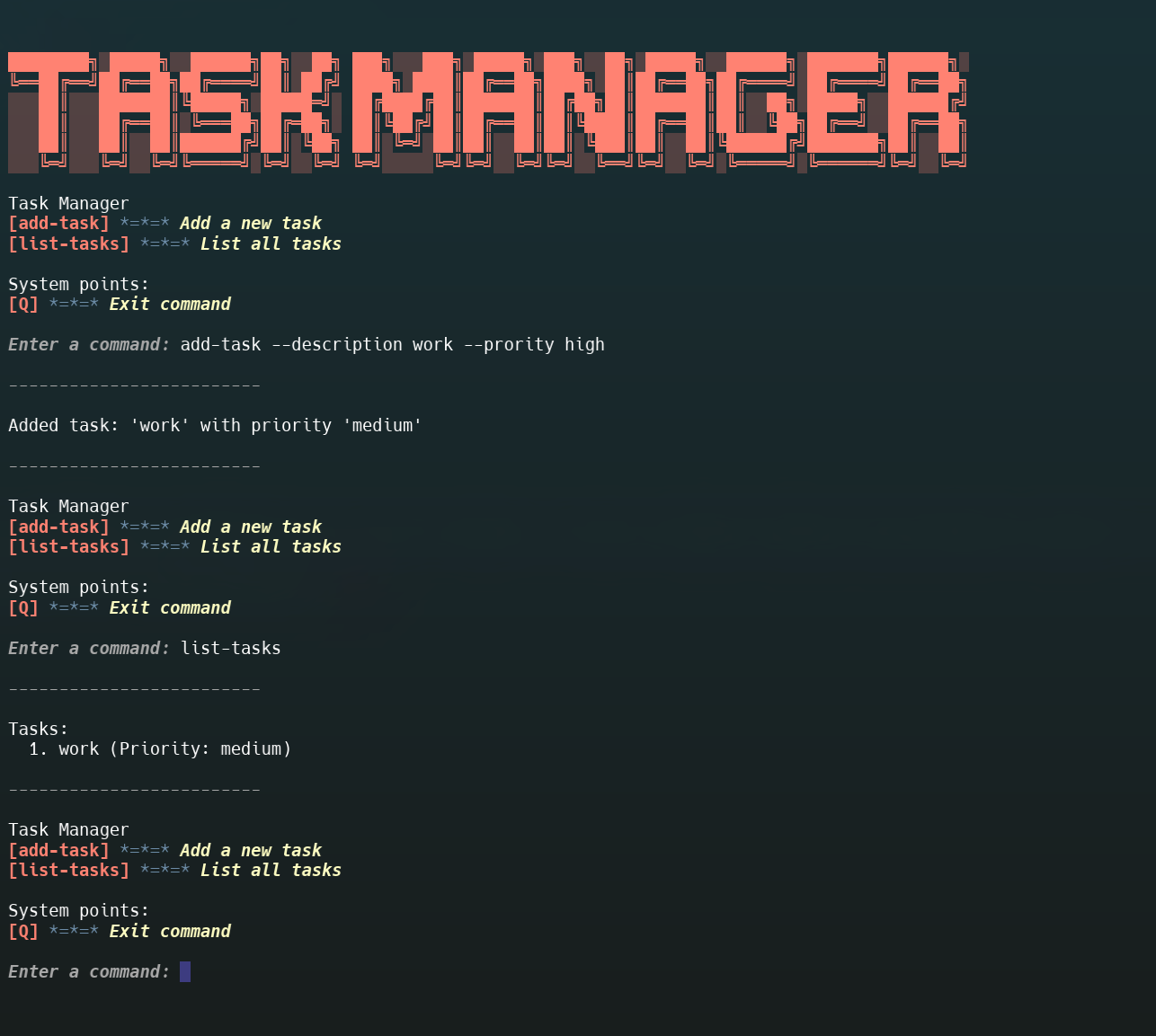
More complex example: a full-featured “Task Manager” application with dependency injection and business logic.
Simple Example
Installation
pip install argenta
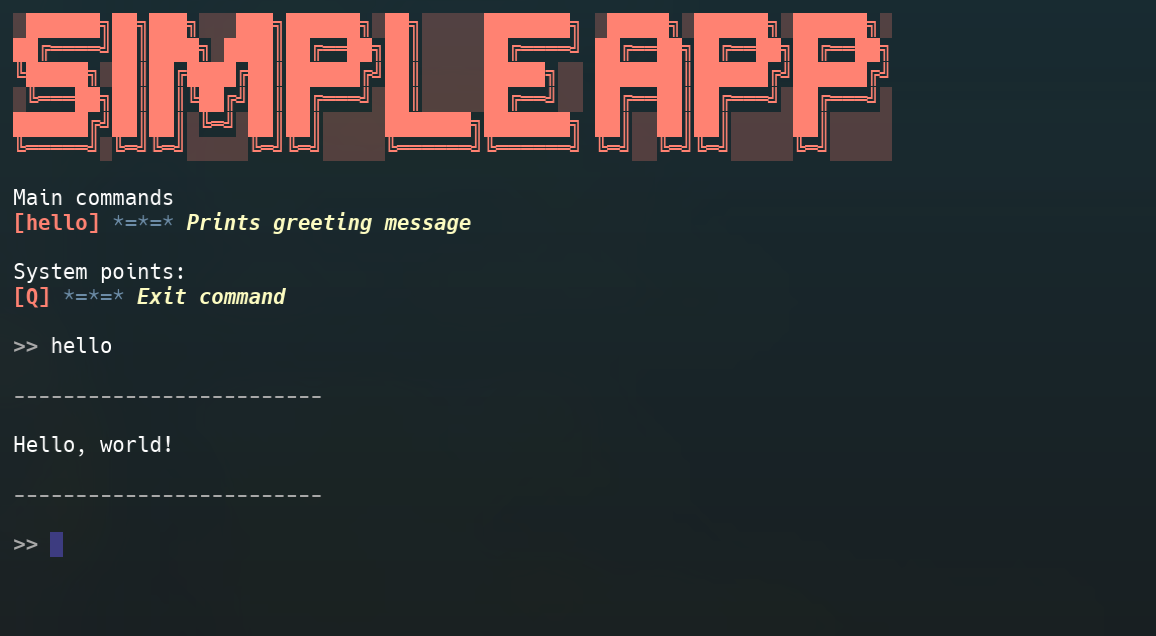
This example demonstrates the absolute minimum required to create and run an application. You can copy this code, run it, and immediately see the result.
 1from argenta import App, Command, Orchestrator, Router, Response
 2from argenta.command import Flag
 3
 4# 1. Create app and orchestrator instances
 5app = App(
 6    prompt=">> ",
 7    initial_message="Simple App",
 8    farewell_message="Goodbye!",
 9    repeat_command_groups_printing=False
10)
11orchestrator = Orchestrator()
12
13# 2. Create router for grouping commands
14main_router = Router(title="Main commands")
15
16
17# 3. Define command and its handler
18@main_router.command(Command(
19    "hello",
20    description="Prints greeting message",
21    flags=Flag("name")
22))
23def hello_handler(response: Response):
24    """This handler will be called for 'hello' command."""
25    name = response.input_flags.get_flag_by_name("name")
26    if name:
27        print(f"Hello, {name.input_value}!")
28    else:
29        print("Hello, world!")
30
31
32# 4. Include router to application
33app.include_router(main_router)
34
35# 5. Start application
36if __name__ == "__main__":
37    orchestrator.start_polling(app)
Running
Save the code to a file (for example, main.py) and run:
python main.py
Result
Intermediate Example: Calculator with Flags
Before moving to a complex example with DI, let’s consider an intermediate option — a calculator that uses flags to control behavior.
 1import operator
 2import re
 3
 4from argenta import App, Orchestrator, Response, Router
 5from argenta.app import DynamicDividingLine
 6from argenta.command import Command, Flag, Flags
 7from argenta.response.status import ResponseStatus
 8
 9router = Router("Calculator")
10
11operations = {
12    'mul': operator.mul,
13    'sub': operator.sub,
14    'add': operator.add
15}
16
17@router.command(
18    Command(
19        "calc",
20        description="Calculator with two numbers",
21        flags=Flags(
22            [
23                Flag("a", possible_values=re.compile(r"^\d{,5}$")),  # First number
24                Flag("b", possible_values=re.compile(r"^\d{,5}$")),  # Second number
25                Flag("operation", possible_values=["add", "sub", "mul"]),  # Operation: add, sub, mul
26            ]
27        ),
28    )
29)
30def calc_handler(response: Response):
31    # Get flag values
32    a_flag = response.input_flags.get_flag_by_name("a")
33    b_flag = response.input_flags.get_flag_by_name("b")
34    op_flag = response.input_flags.get_flag_by_name("op")
35
36    # Check that all flags are provided
37    if response.status != ResponseStatus.ALL_FLAGS_VALID or not all([a_flag, b_flag, op_flag]):
38        print("Error: must specify --a, --b and --op")
39        return
40
41    a = float(a_flag.input_value)
42    b = float(b_flag.input_value)
43    operation = op_flag.input_value
44
45    try:
46        result = operations[operation](a, b)
47    except ZeroDivisionError:
48        print("Can't divide by zero")
49    else:
50        print(f"Result: {result}")
51
52
53app = App(
54    initial_message="Calculator",
55    repeat_command_groups_printing=False,
56    prompt=">> ",
57    dividing_line=DynamicDividingLine("~"),
58)
59orchestrator = Orchestrator()
60
61
62def main():
63    app.include_router(router)
64    orchestrator.start_polling(app)
65
66
67if __name__ == "__main__":
68    main()
Running:
Save the code to a file calculator.py and run:
python calculator.py
Usage:
calc --a 10 --b 5 --operation add
calc --a 10 --b 5 --operation mul
This example shows how to work with flags without using DI. Now let’s move on to a more complex example.
Complex Example: Task Manager with DI
In this guide, we will create a full-featured CLI application “Task Manager” that will demonstrate working with dependency injection.
Installation
pip install argenta
Defining Data Models and Repository
First, let’s define data models for tasks and a repository to store them.
 1from dataclasses import dataclass
 2from typing import Literal
 3
 4Priority = Literal["low", "medium", "high"]
 5
 6
 7@dataclass
 8class Task:
 9    description: str
10    priority: Priority = "medium"
11
12
13class TaskRepository:
14    def __init__(self):
15        self._tasks: list[Task] = []
16
17    def add_task(self, task: Task):
18        self._tasks.append(task)
19
20    def get_all_tasks(self) -> list[Task]:
21        return self._tasks
Creating a Provider for DI
To allow Argenta to inject TaskRepository into our handlers, we will create a provider for dishka.
1from dishka import Provider, Scope, provide
2
3from .repository import TaskRepository
4
5
6class TaskProvider(Provider):
7    @provide(scope=Scope.APP)
8    def get_repository(self) -> TaskRepository:
9        return TaskRepository()
Creating Command Handlers
Now let’s create handlers for the add-task and list-tasks commands. Notice how we use flags and inject TaskRepository.
 1from typing import cast
 2
 3from argenta import Command, Response, Router
 4from argenta.command.flag import Flag, Flags, ValidationStatus
 5from argenta.di import FromDishka
 6
 7from .repository import Priority, Task, TaskRepository
 8
 9router = Router(title="Task Manager")
10
11
12@router.command(Command(
13        "add-task",
14        description="Add a new task",
15        flags=Flags([
16                Flag("description"),
17                Flag("priority", possible_values=["low", "medium", "high"]),
18            ]),
19    ))
20def add_task(response: Response, repo: FromDishka[TaskRepository]):
21    description_flag = response.input_flags.get_flag_by_name("description")
22
23    if not description_flag or not description_flag.status == ValidationStatus.VALID:
24        print("Error: --description flag is required.")
25        return
26
27    task_description = description_flag.input_value or ""
28
29    priority_flag = response.input_flags.get_flag_by_name("priority")
30
31    if priority_flag and priority_flag.status == ValidationStatus.VALID:
32        priority_value = priority_flag.input_value
33    else:
34        priority_value = "medium"
35
36    priority = cast(Priority, priority_value)
37
38    task = Task(description=task_description, priority=priority)
39    repo.add_task(task)
40
41    print(f"Added task: '{task.description}' with priority '{task.priority}'")
42
43
44@router.command(Command("list-tasks", description="List all tasks"))
45def list_tasks(response: Response, repo: FromDishka[TaskRepository]):
46    tasks = repo.get_all_tasks()
47
48    if not tasks:
49        print("No tasks found.")
50        return
51
52    print("Tasks:")
53    for i, task in enumerate(tasks, 1):
54        print(f"  {i}. {task.description} (Priority: {task.priority})")
Building and Running the Application
Finally, let’s put it all together: create an App instance, connect the router and provider, and then run the application.
 1from argenta import App, Orchestrator
 2
 3from .handlers import router
 4from .provider import TaskProvider
 5
 6# 1. Create app and orchestrator instances
 7app = App(
 8    initial_message="Task Manager",
 9    prompt="Enter a command: ",
10)
11orchestrator = Orchestrator(custom_providers=[TaskProvider()])
12
13# 2. Include router with our commands
14app.include_router(router)
15
16# 3. Start polling via orchestrator
17if __name__ == "__main__":
18    orchestrator.start_polling(app)
Result
Now you can run main.py and interact with your new CLI application.